Forward SMS to Telegram, email, Slack & more
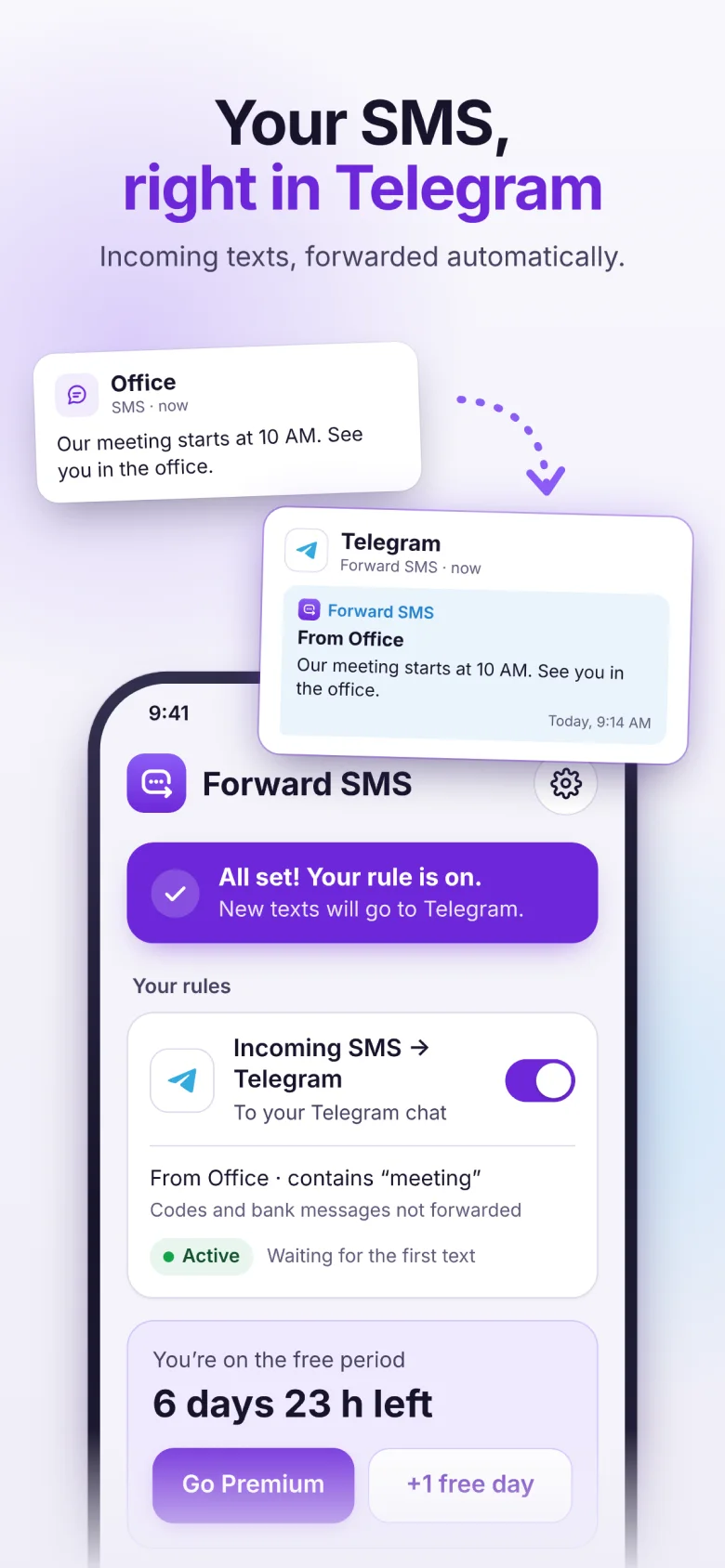
Your texts, sent automatically to the chat, inbox or channel you choose. You always see who sent them, and bank codes stay private unless you turn them on.
For Android, iPhone coming soon · 7 days free · No sign-up
Where can I forward my texts?
Pick one place per rule. Make more rules to send different texts to different places.
How it works
Set it up once in about two minutes. After that, forwarding runs on its own.
Choose where texts go
Telegram, email, Slack, Discord, Microsoft Teams, Google Chat or your own server via webhook.
Choose which texts
All of them, or only from certain senders or with certain words.
Turn it on
New texts are forwarded in the background, even after a restart. History shows what went where — and what didn’t.
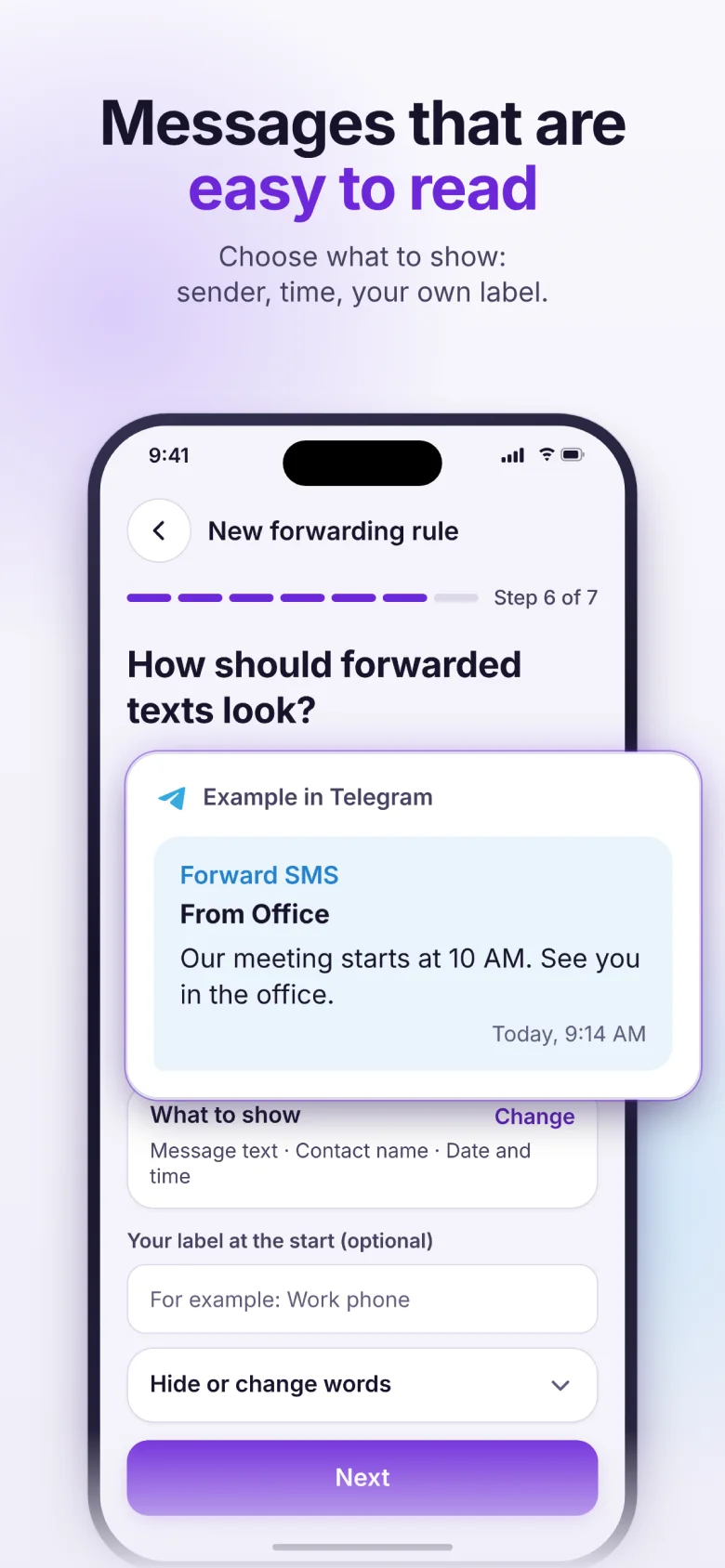
You always know who it’s from
Every forwarded text shows the sender’s name and number. Codes go on the first line with a Copy button, so you don’t have to dig for them.
- Your own label — like “Work phone”, so you know which phone it came from.
- Filters — forward only texts from certain senders or with certain words.
- Groups and channels — share a work number’s texts with the team.
Bank codes stay private
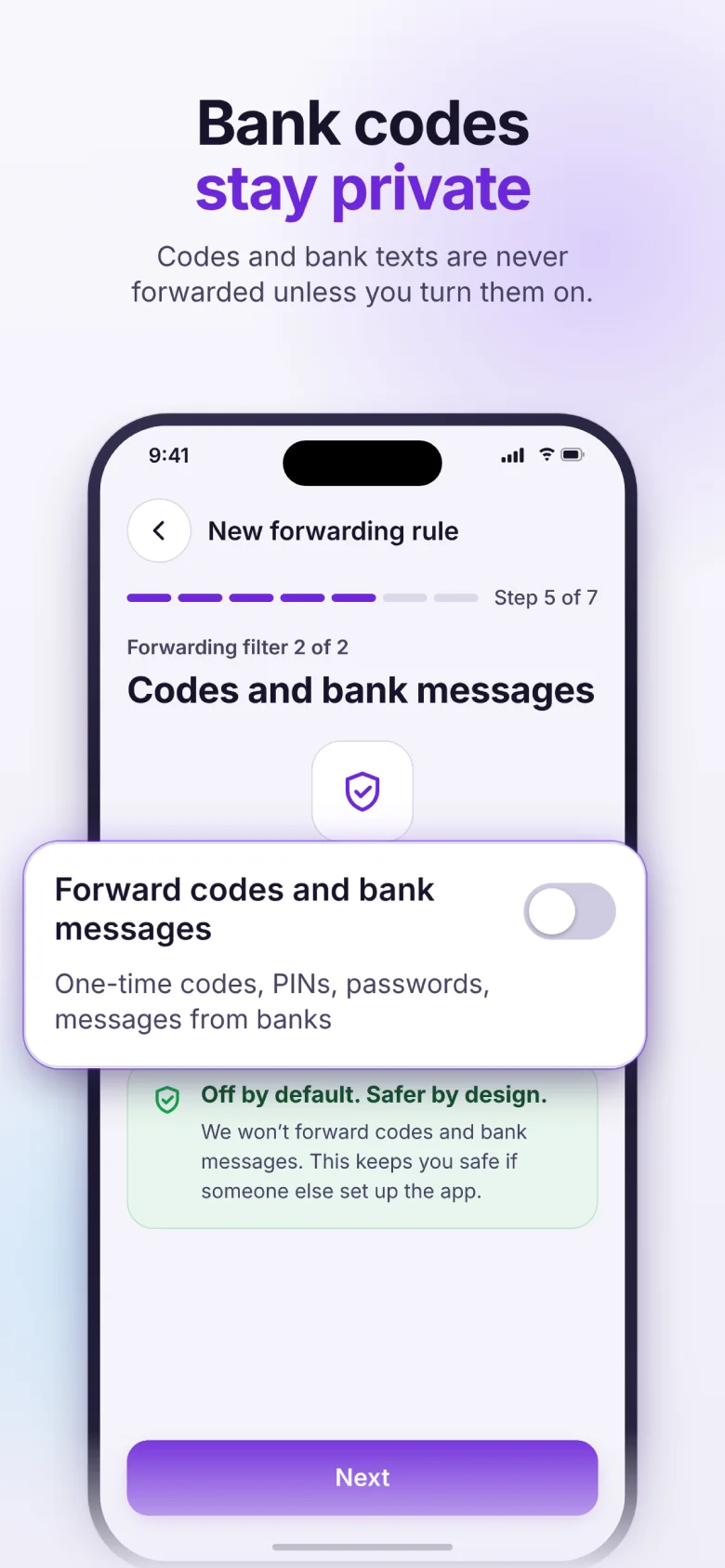
One-time codes, PINs, passwords and bank messages are never forwarded unless you turn them on for a rule.
- Off by default — so a stranger can’t quietly set up forwarding of your codes.
- Scam warning — turning codes on shows a warning and asks you to confirm you set this up yourself.
- Filtered on your phone — texts you didn’t choose never leave it.
- No account, no passwords — we never ask for your email, Slack or Telegram password.
Built to keep working
Forwarding only helps if every text arrives. These are in every plan.
- History with Problems — see every forwarded text, why one wasn’t delivered, and fix it in a tap.
- Keep forwarding on — the app walks you through battery and auto-start settings so Android doesn’t stop it.
- Warnings — a notification when a text couldn’t be forwarded or a chat was disconnected.
- Retries — no internet or the service is down? We keep trying for up to a day.
- Hide or change words — remove things like “Balance” from every forwarded text.
- Phone name and SIM — know which phone and which SIM a text came to.
- Several rules — different texts to different places, each with its own filters and look.
- Delete my data — remove rules, connections and History from the phone and our server.
Pricing
Try everything free for 7 days. No card needed to start. Premium: forwarding never pauses, no ads, up to 500 emails a day. Prices in USD; Google Play shows the price for your country.
Free
Every feature and every destination, up to 50 emails a day. Watch a short ad to get one more free day.
Monthly
Premium, billed every month. Cancel anytime in Google Play.
Yearly
Premium for a year — about $1.67 a month.
Lifetime
Pay once, use Premium forever.
Frequently asked questions
How do I forward text messages automatically on Android?
Install Forward SMS, create a rule and choose where texts go — Telegram, email, Slack, Discord, Microsoft Teams, Google Chat or a webhook. New texts are forwarded in the background, even when the app is closed.
Is Forward SMS free?
You get 7 days free with every feature. After that, choose Premium: $1.99 a month, $19.99 a year or $49.99 once for lifetime. When the free period ends without Premium, forwarding pauses.
What does Premium add?
Forwarding never pauses, no ads, and up to 500 emails a day instead of 50.
Do I need to sign up?
No account and no password. You only confirm where texts go — for example, an email address with a code.
Can I forward one-time codes?
Yes. Codes and bank messages are off by default — turn them on in the rule. Only do it for chats you trust.
Is my data safe?
Texts are filtered on your phone, so texts you didn’t choose never leave it. Forwarded texts go through our server only to be delivered. We don’t sell data, and you can delete everything with Delete my data in Settings.
How do I stop forwarding?
Turn off the switch on a rule, or open the rule and tap Delete rule.
Is there an iPhone version?
Coming soon. iPhone doesn’t give texts to apps directly, so it will work through a one-time automation in Shortcuts.
Set it up in two minutes
Step-by-step guides with screenshots for every destination.